

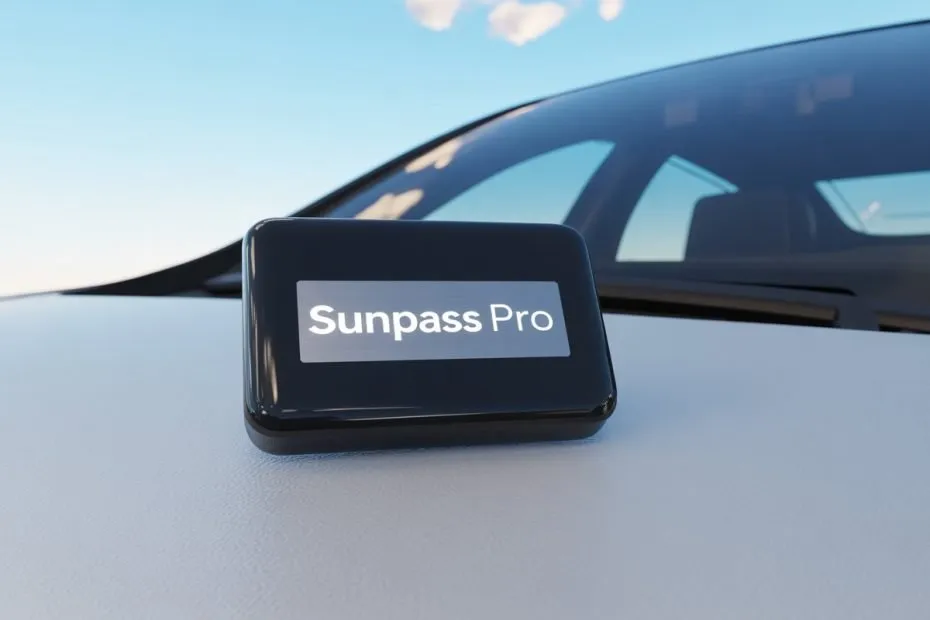
You just picked up a SunPass Pro and you want it working right the first time. Good news: the setup is straightforward if you follow each step carefully.
Here is the most important thing to know upfront: installation alone is not enough. You must also register the device online and link it to an active account. Skip either step and the transponder will not work at the toll plaza.
Drivers without a working transponder get automatically moved to the TOLL-BY-PLATE system, which adds a 25% surcharge plus a $2.50 monthly administrative fee. Getting set up correctly saves you money from day one.
- Step 1: Create Your SunPass Account
- Step 2: Register Your Transponder
- Step 3: Add Your Vehicle
- Step 4: Add Funds and Set Up Auto Replenish
- Step 5: Install the Transponder on Your Windshield
- Step 6: Test Before You Drive Through a Toll
- Troubleshooting: Common Problems and Fixes
- Your Road to Stress-Free Tolling Starts Here
Step 1: Create Your SunPass Account
Before you touch the transponder, go to sunpass.com and create an account. You cannot activate the device without one.
What You Need to Sign Up
- Your full name and home address
- A valid email address
- A credit card or bank account for payments
- A minimum opening balance of $10
Account Types Available
| Account Type | Who It Is For |
| Private Account | Individual drivers and families |
| Toll-By-Plate Account | Drivers who prefer invoice billing (costs more) |
| Fleet Account | Businesses with multiple vehicles |
| Government Account | Federal, state, or local agencies |
| Note for drivers with upper-limb impairments: The Beverly Chapman Act provides free SunPass Mini transponders to qualified individuals. Visit FDOT.gov to learn more. |
Step 2: Register Your Transponder
Once your account is active, link the physical transponder to it. This step is what activates the device so it can communicate with toll readers.
- Log in to your SunPass account at sunpass.com
- Click on “Manage Transponders”
- Select “Add Transponder”
- Enter the serial number printed on the back of your SunPass Pro
- Confirm and save
Do not skip this step. A transponder that is not registered will not charge to your account, and you will receive toll violations in the mail.
Step 3: Add Your Vehicle
After registering the transponder, add your vehicle’s license plate to the account. This acts as a backup so tolls still charge correctly even if the transponder is not read.
You can add multiple plates to one account, which is useful for households with more than one car.
Step 4: Add Funds and Set Up Auto Replenish
A registered transponder with no money in the account will not work. Fund the account and turn on automatic replenishment so it never runs dry.
How to Add Money
- Online at sunpass.com
- Through the SunPass mobile app
- In person at Publix, Walgreens, or CVS
Set Up Easy Pay
Easy Pay automatically charges your card when the balance drops below a set threshold. Go to account settings, select “Easy Pay,” and set a minimum balance and replenishment amount. Most drivers use $10 minimum with a $25 top-up.
This is also required for SunPass Plus parking, which lets you pay for airport and stadium parking through the same account.
Step 5: Install the Transponder on Your Windshield
Physical installation is where most people run into trouble. Placement must be precise. A poorly placed transponder leads to missed toll reads, triggering image tolls and surcharges.
Gather these items before you start:
- Your SunPass Pro transponder and suction cup mount
- A lint-free microfiber cloth
- Rubbing alcohol or a quality glass cleaner
The Two-Inch Rule
| The Two-Inch Rule: Mount the transponder at least 2 inches below the top frame of the windshield AND at least 2 inches below any solar tint strip or shade band. |
The metallic oxides in the solar tinting block the 915 MHz RFID signal. Placing the transponder inside the tinted zone is one of the most common reasons toll readers miss the device.
The correct spot is behind the rearview mirror, centered or slightly to one side. This keeps it out of your sightline and within signal range of the overhead readers.
How to Mount It
- Clean the windshield area with rubbing alcohol
- Wipe dry with a lint-free cloth. Any residue weakens the suction seal
- Press the suction cup mount firmly against the glass
- Hold it in place for 30 seconds
- Attach the SunPass Pro to the mount with the logo facing upward
- Press firmly and hold for another 30 seconds
Do not rush the suction step. Florida heat causes glass to expand. A weak initial seal will fail within weeks.
Special Cases: IR Glass, Heated Windshields, and ADAS Cameras
Many 2025 and 2026 vehicles use infrared-reflecting glass, heated windshield grids, or advanced driver assistance systems that can block or interfere with the RFID signal.
| Windshield Type | What to Do |
| IR-reflecting glass | Look for a manufacturer-provided clear cut-out near the rearview mirror frit area and use that spot. |
| Fully heated windshield grid | Try mounting on the inside of the sunroof. If that fails, a weather-sealed bumper-mounted transponder may be needed. |
| ADAS camera behind mirror | Keep the transponder away from the camera eyebox. Blocking the camera can trigger system errors or disable safety features. |
| Recently replaced windshield | Wait until after the ADAS recalibration is complete before installing to avoid diagnostic errors. |
Installing on a Motorcycle
The SunPass Pro is one of the only Florida transponders that works on motorcycles. Skip the suction cup mount and use a dedicated option instead.
- RAM Socket Arms and Ball Mounts for handlebar attachment
- Silicone wrap mounts from vendors like Blackbeard’s Gear (fits bars from 3/4 inch to 1-1/4 inch)
- Zip tie secured mounts for extra security on rough roads
Keep the logo upright. Toll gantry sensors sit 15 to 25 feet above the roadway, so the antenna needs a clear upward line of sight.
Step 6: Test Before You Drive Through a Toll
Testing your setup takes two minutes and can save you from a pile of violations. Run through this checklist before your first trip.
- Confirm the transponder shows as “Active” in your SunPass account
- Verify your vehicle plate is linked
- Confirm your account balance is above $0
- Check that Easy Pay is enabled
After your first toll, log back in within 24 hours. Look for “TTOL” (Transponder Toll) in your transaction history. If you see “ITOL” (Image Toll) instead, the transponder was not detected. Check your placement and repeat the test.
Troubleshooting: Common Problems and Fixes
Even a correctly installed transponder can run into issues. Here are the most common problems and how to solve them.
| Problem | Fix |
| Getting ITOL instead of TTOL | Check placement. Move the transponder into the Two-Inch zone if needed. |
| Toll violation notices in the mail | Call 1-888-TOLL-FLA with your transponder ID. Violations are usually cleared on the spot. |
| Balance not charging at tolls | Verify balance and confirm Easy Pay is active. |
| Double charges with multiple transponders | Store unused transponders in an RF shield bag. |
| Transponder falling off windshield | Clean the glass with rubbing alcohol and remount. Heat weakens a weak initial seal. |
SunPass Walk-In Service Centers
For complex account or hardware issues, visit a walk-in center. Staff can run a live diagnostic while you wait.
- Orlando: 2145 Metrocenter Blvd, Suite 140
- Tampa: 2056 Badlands Drive, Brandon
- Miami: 7902 NW 36th Street, Unit 203
- Boca Raton: 7941 Glades Road
Phone support is also available at 1-888-TOLL-FLA (1-888-865-5352), Monday through Friday, 8 AM to 6 PM Eastern Time.
Your Road to Stress-Free Tolling Starts Here
Setting up a SunPass Pro takes less than 30 minutes if you follow the steps in order. Here is a quick recap of what matters most.
- Register the transponder and link your license plate before driving anywhere
- Follow the Two-Inch Rule for windshield placement
- Stay clear of tinted or IR-reflecting glass zones
- Enable Easy Pay so your balance never runs dry
- Check your transaction history after the first toll to confirm TTOL
Get these five things right and you will roll through every toll plaza without a second thought.

Pavithra Vinoth is the founder of nytollsinfo.com, where she simplifies U.S. toll systems through expert insights and custom-built calculators. Her research-driven tools help drivers avoid costly mistakes and make smarter car decisions.