

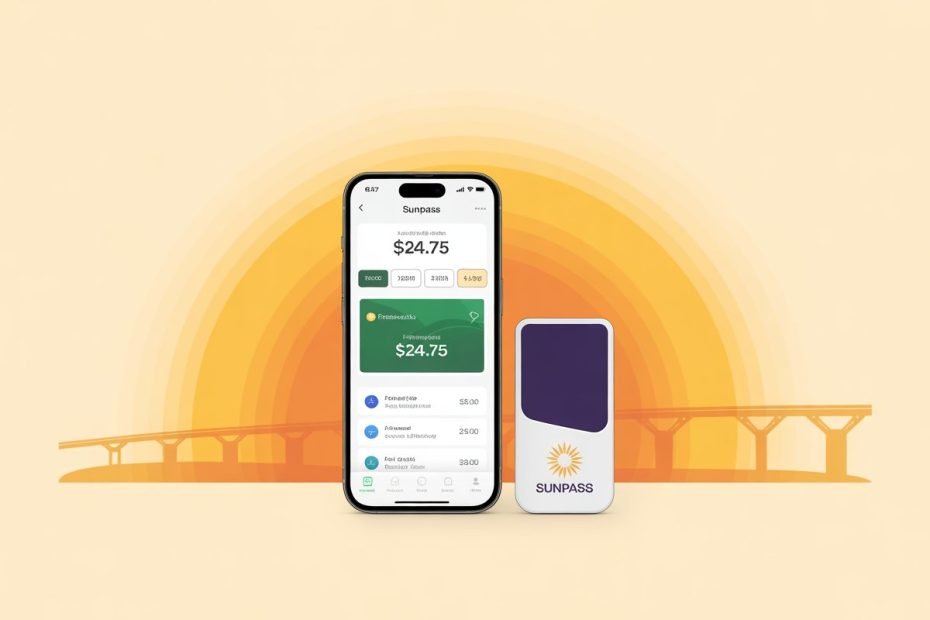
You can check your SunPass balance right now using the SunPass mobile app, the official website at SunPass.com, by calling 1-888-TOLL-FLA (1-888-865-5352), or by visiting a retail partner like Publix or CVS.
That is the short answer. Keep reading because the method that works best for you depends on your situation, and knowing the details can save you from toll violations and unexpected fees.
- Why Checking Your SunPass Balance Matters
- Method 1: The SunPass Mobile App
- Method 2: Check Online at SunPass.com
- Method 3: Call the Customer Service Line
- Method 4: Check at a Retail Location
- Method 5: Florida Turnpike Service Plazas
- Method 6: Visit a SunPass Walk-In Center
- How to Set Up Auto-Replenish (Easy Pay)
- SMS Alerts: Let Your Balance Check Itself
- SunPass in Your Car: CarPlay and Android Auto
- Your Complete SunPass Balance Check Reference
- Keep Your Tolls Moving
Why Checking Your SunPass Balance Matters
Florida has moved almost entirely to all-electronic tolling (AET), which means there are no cash lanes to fall back on. If your balance hits zero, your transponder stops working and the system charges you at the much higher TOLL-BY-PLATE rate.
SunPass customers save an average of 25% compared to TOLL-BY-PLATE rates. For a daily commuter, that adds up to hundreds of dollars every year. Staying on top of your balance is not just about convenience. It is about keeping those savings working for you.
Method 1: The SunPass Mobile App
The SunPass app is the fastest option for most Florida drivers. It is free, works on both iOS and Android, and shows your balance the moment you open it.
How to Check Your Balance on the App
- Download the SunPass app from the App Store or Google Play
- Log in using your username or account number plus your password
- Your current balance appears immediately on the home dashboard
The app also shows your full transaction history. You can see exactly which toll gantry hit your account and when.
Biometric Login for Even Faster Access
In 2026, the SunPass app supports biometric authentication. Once you set it up, you can check your balance in seconds without typing a password.
To enable biometric login:
- Open the app and go to Settings or Security
- Toggle on Face ID, Touch ID, or Fingerprint Recognition depending on your device
- Complete one manual login to link your device to your account
- Every future login uses your face or fingerprint
This is especially useful when you are in a hurry or need a quick glance during a rest stop on a long drive.
Set Up a Home Screen Widget
SunPass added home screen widgets in 2026, so you never even need to open the app.
| Widget Setup Step | Action Required | What Happens |
|---|---|---|
| Initialization | Long-press on your home screen | Widget gallery opens |
| Selection | Find “SunPass” in the widget list | Widget template appears |
| Placement | Drag and drop to your preferred spot | Persistent display set up |
| Authentication | Tap widget and log in once | Balance syncs in real time |
Once the widget is live, your balance and most recent toll transaction sit right on your home screen at all times.
Watch Out for the Parentheses Trap
One thing that trips people up inside the app: a negative balance appears in parentheses, like ($5.87), rather than with a minus sign. That does not mean you have $5.87. It means you owe $5.87. Do not mistake it for a positive balance, especially when you are reading a bright screen in sunlight.
Method 2: Check Online at SunPass.com
The official SunPass web portal gives you full account access from any browser. It shows your balance, transaction history, and all account settings in one place.
Steps to Check Your Balance Online
- Go to SunPass.com
- Click “My Account” at the top of the page
- Enter your username or account number and your password
- Your balance appears immediately on your account overview
The website is also where you update your payment method, add vehicles, and manage transponders. Think of it as the complete control panel for your SunPass account.
First Time Logging In?
If you bought a transponder at a retail store and have never set up an online account, use the First Time Login option.
You will need two things:
- Your 13-digit transponder number (printed on the back of the device)
- The ZIP code linked to your account
This process connects your physical transponder to a full online account so you can manage everything digitally going forward
Method 3: Call the Customer Service Line
Sometimes you just want to use the phone. The SunPass Customer Service Center is reachable at 1-888-TOLL-FLA (1-888-865-5352), and the automated system runs 24 hours a day, 7 days a week.
Using the Automated IVR System
The Interactive Voice Response (IVR) system handles balance inquiries without any wait time. To use it, have these ready:
- Your account number
- Your numeric PIN (this is different from your web password)
The IVR walks you through your balance and recent transactions in under a minute. It is the best option when your phone battery is low or your data connection is unreliable.
Live Representative Hours
For issues that need a human, like disputing a misread license plate or clearing a registration stop, live support follows these hours:
| Day | Live Support Hours | Automated IVR |
|---|---|---|
| Monday to Friday | 7:00 AM to 7:00 PM | 24 hours |
| Saturday | 8:30 AM to 5:00 PM | 24 hours |
| Sunday | Closed | 24 hours |
| Major Holidays | Closed | 24 hours |
According to SunPass’s official contact page, call volumes peak on Monday mornings and after holiday weekends. If you only need a balance check, use the automated IVR to avoid any wait.
Method 4: Check at a Retail Location
Not everyone wants to manage things online, and that is completely fine. SunPass partners with major retail chains across Florida so you can check and reload your balance in person at no charge.
Authorized Retail Partners
The following stores can check your balance and accept cash reloads:
- Publix Super Markets
- CVS Pharmacy
- Walgreens
Visit the customer service desk and provide your transponder number or account number. The cashier can give you a verbal confirmation or printed balance receipt on the spot. There is zero fee for a balance inquiry at these authorized locations.
You can find your nearest retailer using the SunPass Merchant Locator. In high-density areas like Miami and Orlando, authorized merchants are often within a five-mile radius of each other.
Regional Retail Availability
| Region | Primary Retail Partners | Service Available |
|---|---|---|
| Statewide | Publix, CVS, Walgreens | Balance inquiry and cash reload |
| Broward County | Pompano Beach Service Plaza | 24/7 via convenience store |
| Miami-Dade | Snapper Creek, Walk-in Center | Business hours and 24/7 kiosks |
| Orange County | Turkey Lake Service Plaza | 24/7 convenience store |
| Palm Beach | West Palm Beach Service Plaza | 24/7 convenience store |
Method 5: Florida Turnpike Service Plazas
If you are already on the road and realize your balance is low, Florida Turnpike service plazas are your best friend. These stops are open 24 hours a day, 7 days a week, so they are always available when you need them most.
There are eight service plazas along the Florida Turnpike Mainline, located roughly every 40 miles. Florida’s Turnpike website has the full map and details for each one.
Key Service Plaza Locations
- Snapper Creek (Mile Marker 19): Serves Miami-Dade and Homestead Extension traffic
- Pompano Beach (Mile Marker 65): A major hub for Broward County commuters
- West Palm Beach (Mile Marker 94): Centrally located for Palm Beach County drivers
- Turkey Lake (Mile Marker 263): The primary plaza for the Orlando area
Each plaza has a Shell convenience store or gift shop that sells transponders and processes account reloads. These are your last resort option if you are already mid-trip and running low.
Method 6: Visit a SunPass Walk-In Center
For complex account issues that go beyond a simple balance check, the FDOT operates dedicated walk-in service centers. These handle things like transferring transponder ownership, resolving multiple toll violations, and clearing registration stops.
Walk-In Center Locations
| Center | Address | Specialty |
|---|---|---|
| Orlando | 2145 Metrocenter Blvd | Complex violation resolution |
| Tampa | 2056 Badlands Drive, Brandon | Regional fleet management |
| Miami | 7902 NW 36th Street, Doral | Bilingual support |
| Boca Raton | 7941 Glades Road | High-volume tag distribution |
| Niceville | 1200 White Point Road | Mid-Bay Bridge specialization |
Most centers are open from 8:00 AM to 6:00 PM on weekdays with limited Saturday hours. Check the SunPass Contact page for current hours before you visit.
How to Set Up Auto-Replenish (Easy Pay)
The smartest way to avoid a zero balance is to set up Easy Pay, so your account tops itself up automatically. This system monitors your balance and draws funds from your linked card or bank account when it drops below your chosen threshold.
Easy Pay Components
| Component | How It Works | Why It Helps |
|---|---|---|
| Threshold trigger | Detects when balance drops below your set amount | Prevents accidental toll violations |
| Linked account | Connects to credit, debit, or bank ACH | Moves funds automatically |
| Replenishment alert | Sends an SMS when a top-up happens | Keeps you informed of every charge |
| Multi-vehicle sync | One account covers multiple transponders | Centralizes your toll spending |
Recommended minimum thresholds:
- Occasional drivers: $10
- Daily commuters: $25 or more
You can set up Easy Pay by logging into your account at SunPass.com and visiting the payment settings section.
SMS Alerts: Let Your Balance Check Itself
SunPass lets you set up text and email alerts through the SunPass Mobile Alerts system. When your balance drops below your chosen amount, you get a notification automatically.
To activate SMS alerts:
- Log in to your SunPass account
- Navigate to My Profile or Notification Settings
- Enter your mobile number
- Set your preferred low-balance threshold
- Save your settings
Official SunPass text messages come from the short code 786727. Any text claiming to be from SunPass that comes from a regular 10-digit phone number is a scam. More on that below.
SunPass in Your Car: CarPlay and Android Auto
In 2026, many new vehicles support SunPass notifications directly through Apple CarPlay and Android Auto. When your balance drops low, the alert pushes straight to your car’s display screen.
You can respond to those alerts hands-free using Siri or Google Assistant. If you have a One-Touch payment method saved in your SunPass profile, you can even trigger a replenishment by voice without touching your phone. This keeps your eyes on the road where they belong.
Driving an older vehicle? Portable dashboard units like the INNOVV V1 bring wireless CarPlay and Android Auto to any car through a simple plug-in setup. The SunPass notifications work exactly the same way.
Your Complete SunPass Balance Check Reference
Here is every method at a glance so you can bookmark this and come back to it whenever you need it.
| Method | Speed | Best For | Available |
|---|---|---|---|
| SunPass App | Fastest | Daily use, on the go | 24/7 |
| Home Screen Widget | Instant | Passive monitoring | 24/7 |
| SunPass.com | Fast | Full account management | 24/7 |
| IVR Phone (1-888-865-5352) | Moderate | No data access | 24/7 |
| Retail Store | Moderate | In-person, cash users | Store hours |
| Turnpike Service Plaza | Moderate | Already on the road | 24/7 |
| Walk-In Center | Slowest | Complex account issues | Weekday business hours |
Keep Your Tolls Moving
Checking your SunPass balance takes less than a minute with the right method. Set up auto-replenish once, turn on low-balance alerts, and you will likely never need to check it manually at all.
The only drivers who get caught off guard are the ones who forget the system exists until they are sitting at a toll gantry. Do not be that driver. Pick the method that fits your routine, set it up today, and enjoy the 25% savings every time you roll through a Florida toll road.

Pavithra Vinoth is the founder of nytollsinfo.com, where she simplifies U.S. toll systems through expert insights and custom-built calculators. Her research-driven tools help drivers avoid costly mistakes and make smarter car decisions.