

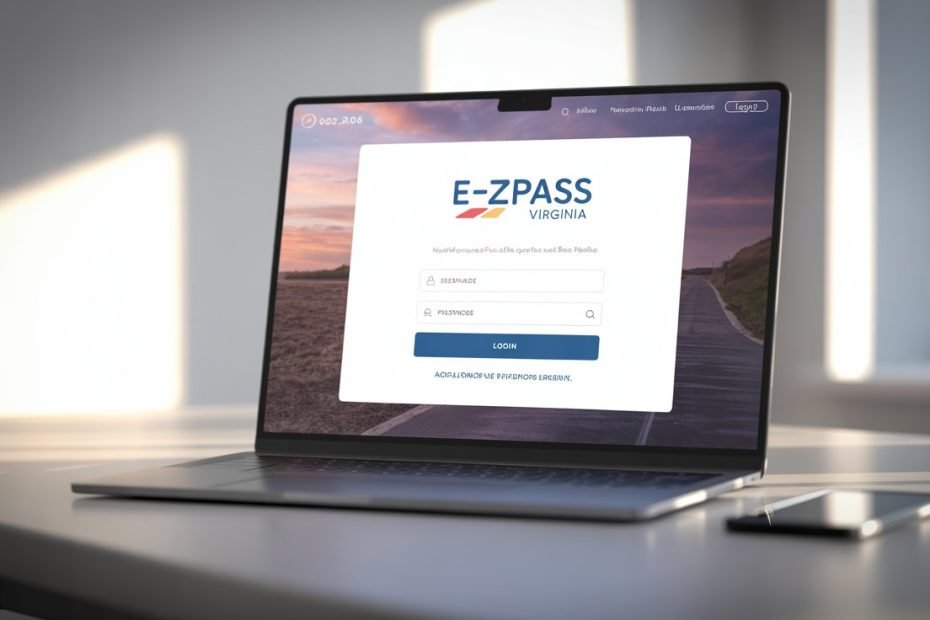
Forgot your E-ZPass VA password right before a commute? Or maybe your balance just hit zero and you have no idea how to fix it fast. You are not alone. Millions of Virginia drivers manage their accounts through the official portal at ezpassva.com, and knowing how it works saves you time, money, and stress.
This guide covers everything you need in 2026: logging in, managing your account, understanding hardware, and staying on top of the biggest toll changes this year.
- How to Log In to Your E-ZPass VA Account
- Understanding the 2026 Security Requirements
- How to Reset Your Password or Unlock Your Account
- How to Create a New E-ZPass VA Account
- Personal vs. Business Accounts: Which One Is Right for You?
- Managing Your Account Balance in 2026
- E-ZPass Flex vs. Standard Transponder: A Clear Comparison
- How to Install and Return Your Transponder
- 2026 Toll Rate Updates Across Virginia
- 2026 Toll Relief Program: Who Qualifies and How to Apply
- Using Mobile Apps to Manage Your Account
- Pro Tips for Keeping Your Account Running Smoothly
- E-ZPass VA Customer Service Contact Information
- Keep Your Account Active and Your Commute Simple
How to Log In to Your E-ZPass VA Account
Getting into your account is simple. The official login page is at myaccount.ezpassva.com. Always use the official URL. Phishing sites that mimic toll portals are a real threat, and your payment details are worth protecting.
Step-by-Step Login Instructions
- Go to myaccount.ezpassva.com
- Enter your registered username and password
- Click Sign In
- If prompted, enter your 4-digit PIN for added verification
That is it. You are in.
Understanding the 2026 Security Requirements
The E-ZPass VA portal in 2026 uses multiple layers of security to protect your account. This is not just about a strong password anymore.
Password and PIN Rules
The system requires a complex password that meets strict character and length rules. These rules align with modern cybersecurity standards and apply when you create an account or reset your credentials.
Your account also requires a 4-digit PIN. This PIN is used in two situations:
- When calling the automated phone system at 1-877-762-7824
- When speaking with a customer service representative
Quick tip: If you never set a PIN, the system defaults to the last four digits of your driver’s license number.
How to Reset Your Password or Unlock Your Account
Locked out? It happens to everyone. The E-ZPass VA recovery process is straightforward and tiered for your protection.
Password Reset Steps
- Go to myaccount.ezpassva.com/Home/Reset
- Enter your registered email address
- Check your inbox for a reset link (check your spam folder too)
- Follow the link and enter a new password
- Log back in with your new credentials
If You Cannot Access Your Email
The automated recovery process stops if you no longer have access to your registered email. In that case, you must contact the Customer Service Center directly. A live representative will verify your identity and help you regain access.
Important for Canadian addresses: Zip code verification does not work for international accounts. Use your transponder number or account number for identity confirmation instead.
How to Create a New E-ZPass VA Account
Never signed up before? The registration process takes about ten minutes. Here is what you need and how it works.
What You Need to Register
| Item Required | Personal Account | Business Account |
|---|---|---|
| Driver’s license number + state | Yes | Optional |
| Employer Identification Number (EIN) | No | Yes |
| Two authorized account managers | No | Yes |
| Payment method | Yes | Yes |
| Vehicle information | Yes | Yes |
Step-by-Step Registration
- Visit ezpassva.com and click Create Account
- Choose Personal or Business
- Enter your personal or business details
- Add your vehicle information (plate number, state, make, model, color)
- Set up a payment method
- Choose a replenishment plan
- Request your transponder
Your transponder ships to your address after registration. Keep reading to understand which type you actually need.
Personal vs. Business Accounts: Which One Is Right for You?
E-ZPass VA offers two main account types. Choosing the right one from the start avoids complications later.
Personal Accounts
Personal accounts work well for individual commuters, families, and small carpooling groups. You can register multiple vehicles and transfer transponders between them. All vehicles must be listed before you travel to avoid billing errors.
Key rules for personal accounts:
- Provide a valid driver’s license number and state
- Include the full vehicle details for every car on the account
- Transfer transponders only between vehicles in the same class
Business Accounts
Business accounts are designed for companies, non-profits, and government agencies. The setup is more structured and comes with stricter rules.
Key rules for business accounts:
- Provide a valid EIN during registration
- Designate at least two authorized account managers
- Accounts with five or more transponders must use automatic replenishment (this is mandatory, not optional)
Managing Your Account Balance in 2026
E-ZPass VA runs on a prepaid model. You pay in advance and the system deducts toll charges as you travel. Keeping a healthy balance is the single most important habit for avoiding problems.
Opening Balance and Replenishment Thresholds
| Account Detail | Amount |
|---|---|
| Minimum opening balance | $35 |
| Low balance threshold (per transponder) | $10 |
| Auto-replenishment target | $35 per transponder or 1 month of usage |
Automatic Replenishment
VDOT strongly recommends automatic replenishment. When your balance drops to the threshold, the system automatically charges your payment method and refills your account.
Benefits of automatic replenishment:
- No manual monitoring required
- Prevents account suspension
- Keeps your transponder active at all times
Manual Replenishment
Manual replenishment is available, but it puts the full burden on you. If your balance hits zero, your account enters Insufficient Funds status.
What happens in Insufficient Funds status:
- Your transponder may take 24 hours to reactivate at Virginia facilities
- It can take up to 48 hours to reactivate at out-of-state locations
- You may receive violation notices during the gap
Backup Payment Methods
If you use ACH (direct bank debit) for automatic replenishment, VDOT requires a valid credit or debit card on file as a backup. If your primary payment method fails more than once, you may lose your automatic replenishment eligibility entirely.
E-ZPass Flex vs. Standard Transponder: A Clear Comparison
Your transponder is issued by VDOT and leased to you under the Customer Service Agreement. Picking the right model matters, especially if you drive Northern Virginia express lanes.
Standard E-ZPass
The Standard transponder is a fixed device. It signals one vehicle identifier to every toll reader it passes. It works across all Virginia toll facilities and in all 19 E-ZPass states.
E-ZPass Flex
The E-ZPass Flex has a physical toggle switch that lets you declare your HOV (High Occupancy Vehicle) status in real time.
When to use each setting on the Flex:
| Switch Position | What It Does |
|---|---|
| HOV ON | Signals HOV-3+ status, waives toll on qualifying Express Lanes |
| Toll | Charges the dynamic toll rate like a standard transponder |
The Flex is essential for Northern Virginia Express Lanes on I-66, I-95, I-395, and I-495.
Warning: Setting your Flex to HOV ON with fewer than the required occupants is a terms of service violation. Fines can reach $1,000 and your account can be suspended.
Transponder Fees Comparison
| Hardware Type | Lost or Damaged Fee | Fee Waiver Available? |
|---|---|---|
| Standard E-ZPass | $10 | Yes, with a police report for theft |
| E-ZPass Flex | $20 | Yes, with a police report for theft |
Fees are automatically deducted from your prepaid balance.
How to Install and Return Your Transponder
Proper installation prevents failed transactions. A failed transaction at a gantry can trigger a violation notice and administrative fees.
Installation Tips
- Mount the transponder inside the windshield, facing outward
- Follow the exact placement instructions provided by VDOT
- Do not place it behind tinted glass or any metallic coating
- Confirm the device registers a green light when you pass through a gantry
Returning a Damaged or End-of-Life Transponder
Transponders must be returned to the E-ZPass Service Center in Clifton Forge, VA. Before mailing, wrap the device in heavy-duty aluminum foil or a foil-lined Mylar bag.
This prevents the transponder from being read accidentally by toll equipment in transit. Do not open or repair the device yourself. Any tampering results in a damage fee.
2026 Toll Rate Updates Across Virginia
Several major tolling changes took effect in 2026. Here is a clear breakdown of what changed and where.
Hampton Roads: Elizabeth River Tunnels and Jordan Bridge
New 2026 rates went live on January 1 for the Elizabeth River Tunnels (Midtown and Downtown Tunnel) and the South Norfolk Jordan Bridge.
| Facility | 2026 E-ZPass Rate (2-axle) | Change from 2025 |
|---|---|---|
| South Norfolk Jordan Bridge | $3.70 | Up $0.25 |
| Elizabeth River Tunnels | Updated per schedule | Annual increase |
Drivers without a transponder pay a Tolls by Plate rate that includes a $5.50 administrative surcharge per trip. That alone is a strong reason to keep your account active.
Chesapeake Expressway: May 2026 Restructuring
Effective May 1, 2026, the Chesapeake Expressway Discount Program increases its semi-annual membership fee. This is the first increase since the road opened in 2001.
Key details:
- Enrolled members pay $1.00 per trip for 2-axle vehicles
- The non-enrolled peak rate is $2.50 per trip
- One missed membership payment removes you from the program
- Re-enrollment costs $35
Keep your balance positive. One failed payment and you lose your discounted rate immediately.
Northern Virginia: I-66 Express Lanes
The I-66 corridor remains the most complex tolling environment in the state. There are two distinct segments with different rules.
I-66 Inside the Beltway (I-495 to Rosslyn):
- Express-only during peak hours (5:30 to 9:30 AM Eastbound; 3:00 to 7:00 PM Westbound)
- Solo drivers pay a dynamic toll during peak hours
- HOV-3 with an E-ZPass Flex travels free during peak hours
I-66 Outside the Beltway (I-495 to Gainesville):
- Operates 24 hours a day, 7 days a week
- Trucks are allowed (unique among Virginia Express Lanes)
- Truck rates are 3x the passenger rate off-peak and 5x during peak periods
2026 Toll Relief Program: Who Qualifies and How to Apply
The Toll Relief Program provides a 50% discount on Midtown and Downtown Tunnel tolls for qualifying Hampton Roads residents. For 2026, VDOT expanded the program significantly.
What Changed in 2026
Previously, only residents of Norfolk and Portsmouth qualified. Now, the program covers residents of all 17 localities in the Hampton Roads Planning District Commission.
How to Apply
Enrollment is done in person. You cannot apply online.
Where to go: Customer Service Center in Norfolk or Portsmouth
What to bring:
- Valid driver’s license (proof of residency)
- Recent tax documents: W-2, 1099, or IRS Form 1040 (proof of income)
Once verified, the discount is automatically applied to your E-ZPass account. You do not need to submit monthly claims.
Using Mobile Apps to Manage Your Account
Several mobile apps let you check your balance and view toll history on the go. The most popular is EZ Tolls VA by Pragmistic LLC, available on both iOS and Android.
App vs. Official Portal: Key Differences
| Feature | Mobile Apps | ezpassva.com Portal |
|---|---|---|
| Check balance | Yes | Yes |
| View toll history | Yes | Yes |
| Add funds | Yes (may charge up to $1.29 per transaction) | Yes (no processing fee) |
| Exchange transponder type | No | Yes |
| Enroll in discount programs | No | Yes |
Use the app for quick daily checks. For any changes to your account, go directly to the official portal to avoid processing fees.
Pro Tips for Keeping Your Account Running Smoothly
A few simple habits prevent the most common E-ZPass problems.
Watch for the yellow light at toll gantries: A yellow light for two or more consecutive days means your automatic replenishment failed. Log in to ezpassva.com right away and update your payment method.
Update your vehicle information immediately after changes: New car or new license plates mean updating your account right away. Even with a valid transponder, the system uses license plate recognition as a secondary check. A mismatched plate triggers a violation notice.
Keep your contact email current: Balance alerts and account notices go to your registered email. An outdated email address means you miss critical warnings.
Enable automatic replenishment: Set it up once and forget it. Manual monitoring is risky and not worth the hassle.
Do not rely only on apps: Third-party apps are convenient but do not handle complex account changes. Use the official portal for anything beyond checking your balance.
E-ZPass VA Customer Service Contact Information
Sometimes the portal cannot solve the problem. Here is how to reach a real person.
| Contact Method | Details |
|---|---|
| Customer Service Phone | 1-800-367-7623 |
| Automated Phone System | 1-877-762-7824 |
| Online Contact Form | Available after login at ezpassva.com |
| Service Center (Hampton Roads) | Norfolk and Portsmouth locations |
Keep Your Account Active and Your Commute Simple
Managing your E-ZPass VA account in 2026 comes down to three things: keeping your balance funded, keeping your vehicle information accurate, and knowing which transponder fits your driving habits.
The portal at ezpassva.com handles everything you need. Spend five minutes setting up automatic replenishment and updating your vehicle details. That five minutes saves hours of dealing with violation notices and administrative fees later.
Your transponder is the key to smarter, faster travel across Virginia and 18 other states. Use it well.
Sources:
- E-ZPass Virginia Official Portal
- Virginia Department of Transportation (VDOT)
- E-ZPass Interagency Group
- Express Lanes Virginia: Learn the Lanes
- 13 News Now: New 2026 Toll Rates in Hampton Roads
- City of Chesapeake: Expressway Discount Program

Pavithra Vinoth is the founder of nytollsinfo.com, where she simplifies U.S. toll systems through expert insights and custom-built calculators. Her research-driven tools help drivers avoid costly mistakes and make smarter car decisions.