

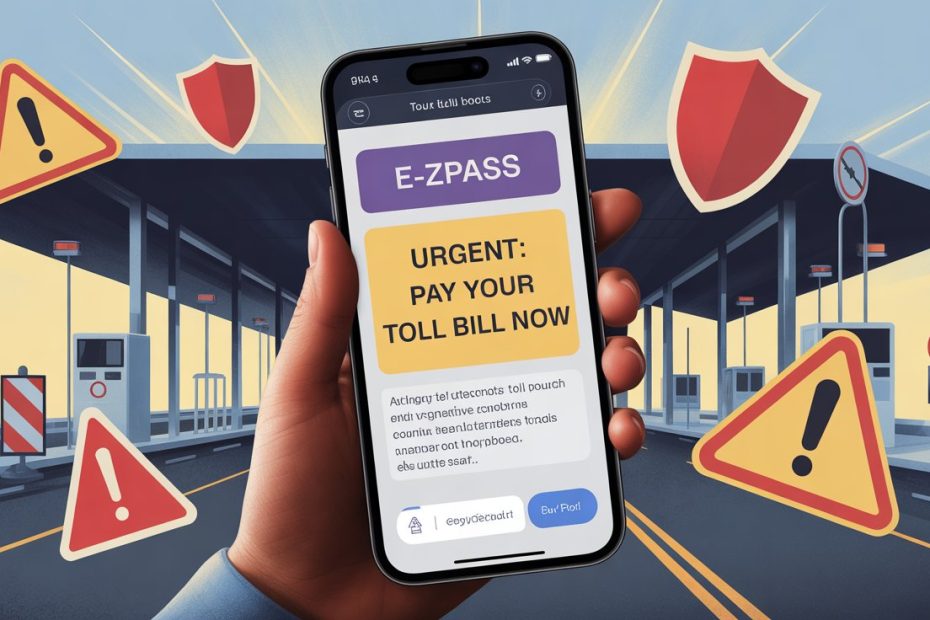
Got a text saying you owe money on your toll account? Stop. Do not click that link. It is almost certainly a scam, and you are far from alone.
Millions of American drivers receive these fake toll texts every week. Scammers have turned this into a full-blown criminal industry, and 2026 has brought their most sophisticated attacks yet.
- What Is the E-ZPass Scam Text?
- Why These Scams Work So Well
- How the Scam Actually Works in 2026
- How to Spot a Fake E-ZPass Text
- State-by-State: What You Need to Know
- What to Do If You Get a Suspicious Text
- What to Do If You Already Clicked or Paid
- How Your Smartphone Protects You in 2026
- Building Long-Term Scam Resistance
- What Is Coming Next
- Stay Sharp: Your Final Scam Defense Checklist
What Is the E-ZPass Scam Text?
This scam has a proper name: smishing. It combines SMS text messaging with phishing tactics to steal your money and personal information.
The message usually looks something like this:
“E-ZPass: Your toll balance is past due. Pay $6.50 now to avoid a $35 late fee. Click here to settle your account.”
It sounds believable. The amount is small. The urgency feels real. That is exactly why it works.
How Big Is This Problem in 2026?
The numbers tell a serious story. Here is a snapshot of where things stand right now.
| Metric | Figure |
|---|---|
| Money lost to text scams (2023) | $470 million |
| New fraudulent domains found in two weeks | 400+ |
| States affected by toll scam campaigns | 19+ |
| Google Android blocks per month | 10 billion malicious messages |
Sources: FBI IC3, IBTTA, Google Android Blog
These are not random amateur attacks. They are organized, professional fraud operations that have grown dramatically since 2024.
Why These Scams Work So Well
Understanding the psychology behind these scams is your first real weapon against them.
Scammers are not just guessing. They study human behavior and engineer every detail of their messages to bypass your skepticism.
The Small Amount Trick
Fraudulent toll texts almost always claim very small amounts. Typical fake balances range from $3.95 to $12.55.
Here is why that matters:
- A large charge feels suspicious immediately
- A small charge feels like an oversight you might have made
- Your brain tells you it is probably legitimate and not worth investigating
- You pay before thinking twice
It is a clever psychological trick, and it works on even careful people.
The Urgency Trap
After the small amount grabs your attention, the threat seals the deal.
Common fake threats include:
- License suspension warnings
- Vehicle registration holds
- Fees that double or triple within 24 hours
- Threats of legal action or collection agencies
This manufactured urgency pushes you to act fast. Scammers know that a person who pauses to verify rarely falls for the trap.
The Realistic Timing
You probably have driven through a toll recently. You might genuinely be unsure whether it registered properly. Scammers exploit that uncertainty perfectly.
The message slots right into a believable real-world context, which makes it far more convincing than a random prize notification ever could be.
How the Scam Actually Works in 2026
This is not a simple operation anymore. The technology behind these attacks has become frighteningly advanced.
Phishing Kits Sold on Telegram
Today’s toll scammers do not need technical skills. They buy ready-made phishing kits on Telegram and other platforms.
These kits include:
- Pixel-perfect replicas of real E-ZPass portals
- Cloned state motor vehicle administration websites
- Real-time dashboards showing victim data as it is typed
- Templates customized for specific states and toll agencies
The real-time monitoring feature is especially dangerous. A scammer can watch you enter your information live and immediately use it to bypass two-factor authentication on your real bank account.
AI-Generated Personalized Messages
In 2026, generic scam texts are increasingly rare. Attackers now use generative AI to create hyper-personalized messages.
These AI tools can:
- Identify your region and reference your local toll agency by name
- Mention Peach Pass if you are in Georgia
- Reference FasTrak if you are in California
- Mirror the exact writing style of your state’s official toll communications
The result is a message that feels written specifically for you, not blasted to millions of strangers.
Voice Cloning Follow-Up Calls
Text messages are just the opening move now. After the initial text, some victims receive a follow-up phone call.
Using voice cloning technology, scammers simulate the voice of a government official or toll agency representative. The caller “confirms” the unpaid debt and pushes for immediate payment.
This combination of text and voice attack is called vishing, and it significantly increases the success rate of the fraud.
Fake Domains Built to Deceive
The links in these texts are engineered to look legitimate at a glance.
Tactics scammers use include:
- Cheap top-level domains like .xin, .vip, .top, and .help
- URLs that look nearly identical to real sites, such as
nj.gov.help/mvcinstead of the real government portal - HTTPS encryption, which gives a false sense of security (the padlock icon does not mean a site is safe)
- Branding that perfectly copies official agency logos and color schemes
Always look at the full domain, not just the visible text of a link.
How to Spot a Fake E-ZPass Text
Knowing the warning signs protects you before you ever click anything.
Every legitimate toll agency follows predictable communication patterns. Deviations from those patterns are your signal to stop.
The Red Flag Checklist
Before you act on any toll-related text, run through this checklist:
- Unfamiliar sender number: Official agencies use registered shortcodes, not random 10-digit cell numbers
- Urgent language: Phrases like “pay within 12 hours” or “final notice before suspension”
- Generic greeting: “Dear Customer” instead of your actual name
- Suspicious URL: Any domain ending in .vip, .top, .help, .xin, or similar
- Payment link in the text: Real agencies direct you to their official portals, not random links
- Request for sensitive info: Social Security numbers, passwords, or full card details
- Grammar or punctuation errors: Some scam texts still contain awkward phrasing
If even one of these applies, treat the message as a scam.
What E-ZPass Will NEVER Do
Here is a clear list of things no legitimate toll agency will ever do via text message:
- Demand immediate payment through a link in an unsolicited text
- Ask for your Social Security number to verify an account
- Request payment through Zelle, Venmo, or Cash App
- Threaten license suspension in a text message
- Send payment links to non-government or unofficial domains
State-by-State: What You Need to Know
Toll scams target specific states with customized campaigns. Knowing how your local agency actually communicates is one of the most practical defenses available.
Quick Reference by State
| State | Toll Agency | Key Official Rule |
|---|---|---|
| New York | E-ZPass NY / Tolls by Mail | Only official app is “Tolls NY” |
| New Jersey | NJ Turnpike / Parkway | Texts limited to appointment reminders only |
| Pennsylvania | PA Turnpike | All balance notices come by U.S. Mail first |
| Virginia | E-ZPass Virginia | Legitimate texts come from (844) 548-0707 or (844) 718-2368 only |
| Maryland | DriveEzMD | Never contacts customers via text to request payment |
| Massachusetts | EZDriveMA | Bills are never sent via text message |
New York
Governor Hochul and the New York Thruway Authority have made their position clear. The agency will never request sensitive information, including birthdays, Social Security numbers, or credit card details via text or email.
The only authorized mobile application for New York toll payments is the official “Tolls NY” app. Any other app or link requesting payment is fraudulent.
New Jersey
The New Jersey Cybersecurity and Communications Integration Cell (NJCCIC) issued urgent alerts in early 2026 about a surge in sites mimicking the Motor Vehicle Commission.
A common trick: the fake site displays “Welcome to NJMVC.GOV” as page text, but the actual URL ends in .help. Always check the browser address bar, not just what the page says.
Pennsylvania
The Pennsylvania Turnpike Commission has a firm “mail first” policy. All official notices about outstanding balances begin through U.S. Mail.
Even when authorized third-party collection agencies send texts, they must identify themselves by name and include specific account details matching your records. They will never request payment through Zelle, Venmo, or unverified site links.
Virginia
E-ZPass Virginia has published its official contact numbers to help customers verify legitimate messages.
Any text that does not originate from one of these two numbers is not from E-ZPass Virginia:
- (844) 548-0707
- (844) 718-2368
Save these numbers in your phone now so you can check future messages instantly.
Maryland
The Maryland Transportation Authority (MDTA) reports that scam texts frequently replicate the DriveEzMD logo to appear convincing.
The official rule is simple: DriveEzMD will never contact customers via text to request immediate payment. Period.
Massachusetts
The EZDriveMA system has seen repeated waves of scam texts, particularly during holiday travel periods.
Massachusetts drivers should know one fact: EZDriveMA bills are never sent via text message. If a text claims to be from EZDriveMA with a balance due, it is a scam.
What to Do If You Get a Suspicious Text
Receiving one of these texts does not mean you are already a victim. Here is exactly what to do, step by step.
Step 1: Do Not Click the Link
This sounds obvious, but it bears repeating. Do not tap the link, even out of curiosity.
Some links attempt to install malware automatically when opened, particularly on Android devices. Clicking out of curiosity is how careful people get caught.
Step 2: Verify Through Official Channels Only
Type your state’s official toll website address manually into your browser. Do not copy or follow any link from the suspicious text.
Check your actual account balance there. If nothing is owed, you have confirmed it is a scam.
Official starting points for verification:
- E-ZPass NY
- E-ZPass Mid-Atlantic States
- Pennsylvania Turnpike
- Your state’s official .gov toll portal
Step 3: Report the Scam
Reporting is not just for your own protection. Your report helps law enforcement track and shut down these operations. Each report is shared with over 2,800 law enforcement partners.
Report to all of the following:
- FBI Internet Crime Complaint Center: ic3.gov
- Federal Trade Commission: reportfraud.ftc.gov
- Your state attorney general’s office
- Forward the text to 7726 (SPAM) to report it directly to your carrier
Step 4: Delete the Text
Once reported, delete the message and block the sender’s number. Do not keep it around “just in case.”
What to Do If You Already Clicked or Paid
Acting quickly limits the damage significantly. Speed matters here.
Phase 1: Technical Isolation
Do these things immediately after clicking a suspicious link:
- Enable airplane mode on your device to stop any active malware downloads or data transfer
- Run a security scan using reputable antivirus software
- Check your device for any apps you do not recognize and remove them
Phase 2: Financial Containment
Contact your bank or card issuer without delay.
Steps to take:
- Call the number on the back of your card immediately
- Report the fraudulent charge and dispute it
- Ask for your card to be frozen or replaced
- Review recent transactions for any unauthorized activity
- Change your E-ZPass account password and enable two-factor authentication if available
Phase 3: Identity Protection
If you entered sensitive personal information such as your Social Security number, take these additional steps. The Social Security Administration recommends a seven-step recovery plan for identity theft victims:
- File a report at IdentityTheft.gov to get a personalized recovery plan
- Place a credit freeze with all three bureaus: Equifax, Experian, and TransUnion
- Request an IRS Identity Protection PIN to prevent fraudulent tax returns
- File a police report with your local law enforcement to establish an official record
- Change passwords and enable MFA on all sensitive accounts, especially banking and email
- Place a fraud alert with one credit bureau (it automatically triggers alerts at the other two)
- Monitor your credit reports regularly at AnnualCreditReport.com
How Your Smartphone Protects You in 2026
The good news is that your phone now does a lot of the heavy lifting for you. Both major mobile operating systems have built significant AI defenses against scam texts.
Android 16: Proactive AI Protection
Android 16 includes an “Advanced Protection” suite that Google estimates blocks over 10 billion malicious messages and calls every month.
Key features include:
- On-device AI that analyzes incoming texts from unknown senders in real time
- Pattern recognition that flags conversational tactics typical of toll scams
- Privacy-first processing, meaning analysis happens on your device, not in the cloud
- Automatic warnings before you interact with suspicious links
A 2026 YouGov survey of 5,000 smartphone users found that Android users were 58% less likely to receive scam texts in a given week compared to iOS users, largely due to these proactive shields.
To enable full protection on Android 16:
- Open Settings
- Go to Security and Privacy
- Enable Advanced Protection
- Turn on Spam Protection in the Messages app settings
iOS 26: Smart Filtering and Folder Logic
Apple’s iOS 26 introduced a major upgrade to the Messages app with a strong focus on phishing defense.
Key features include:
- Smart folder sorting that routes messages into categories like “Transactions,” “Promotions,” and “Spam”
- Disabled links in messages sorted into the Spam folder
- Screen Unknown Senders filtering that routes unfamiliar numbers away from your main inbox
- Progress toward end-to-end RCS encryption using Messaging Layer Security (MLS) for cross-platform security
To enable filtering on iPhone:
- Open Settings
- Tap Apps, then Messages
- Enable Filter Unknown Senders
Building Long-Term Scam Resistance
Protecting yourself is not just about reacting to individual texts. A few ongoing habits dramatically reduce your overall exposure.
Keep Your Number Private
The more your phone number appears online, the more data broker lists it ends up on. Scammers buy these lists by the millions.
Practical steps:
- Use a secondary email or phone number for loyalty programs and online forms
- Opt out of data broker databases using services like DeleteMe or similar tools
- Review app permissions and revoke access to your contacts where unnecessary
Use a Password Manager
If one set of credentials gets compromised, a password manager limits the damage to that single account.
Bitwarden is a well-regarded free option. It generates strong, unique passwords for every account and stores them securely.
Enable Account Alerts on Your Toll Account
Most E-ZPass portals allow you to set up email notifications for any account activity.
This means that if someone makes an unauthorized change to your account, you find out immediately rather than discovering it weeks later.
Stay Informed About New Tactics
Scam tactics evolve quickly. The IBTTA and CISA regularly publish updates about emerging threats.
Bookmarking one or two of these resources and checking them occasionally keeps you ahead of new attack methods.
What Is Coming Next
The threat landscape in 2026 is still evolving. Understanding where things are heading helps you stay prepared.
Current emerging threats include:
- QR code redirection where fraudulent QR codes appear in fake digital invoices or physical mail, bypassing link-based filters
- Machine-to-machine fraud where automated systems exploit digital banking vulnerabilities without any direct human interaction
- Deepfake audio and video used in follow-up calls to impersonate officials more convincingly than ever
The fundamental rule remains constant despite all of this change: no legitimate toll agency will ever request immediate payment through an unsolicited text message. That single fact remains your most reliable filter for every scam attempt, no matter how sophisticated the technology behind it becomes.
Stay Sharp: Your Final Scam Defense Checklist
Now that you know how these scams work, here is everything distilled into one final reference list.
If you receive a suspicious toll text message:
- [ ] Do not click the link
- [ ] Check your real account balance manually at the official website
- [ ] Report the text to the FTC and FBI IC3
- [ ] Forward the message to 7726 (SPAM)
- [ ] Delete and block the sender
If you clicked or paid:
- [ ] Enable airplane mode immediately
- [ ] Contact your bank to freeze your card and dispute charges
- [ ] Change your E-ZPass password
- [ ] Run a security scan on your device
- [ ] File a report at IdentityTheft.gov if personal data was entered
- [ ] Place a credit freeze with all three bureaus
Ongoing protection habits:
- [ ] Enable spam filtering on your phone
- [ ] Use a password manager for all sensitive accounts
- [ ] Set up account activity alerts on your toll account
- [ ] Keep your phone number off unnecessary public forms and websites

Pavithra Vinoth is the founder of nytollsinfo.com, where she simplifies U.S. toll systems through expert insights and custom-built calculators. Her research-driven tools help drivers avoid costly mistakes and make smarter car decisions.